
Introduction
I’ve been pretty busy lately and I haven’t shared anything in a while so I thought I’d share my mundane task of the day: cluster upgrade. This will be a quick one today but I promise I have something big in store for the upcoming articles.
k8s upgrade from 1.35.1 to 1.36.0
This procedure should not result in any downtime, as all workloads will be drained from the nodes prior to updating them. This process is referred to as ‘cordoning’ in Kubernetes terminology.
upgrading the kube-node1
1
2
3
4
5
6
7
8
9
10
11
12
13
14
15
16
17
18
19
20
21
22
23
24
25
26
# cd into the root of the project and run the command (provided you are on linux)
source env/bin/activate

# switch to the source branch with your IDE
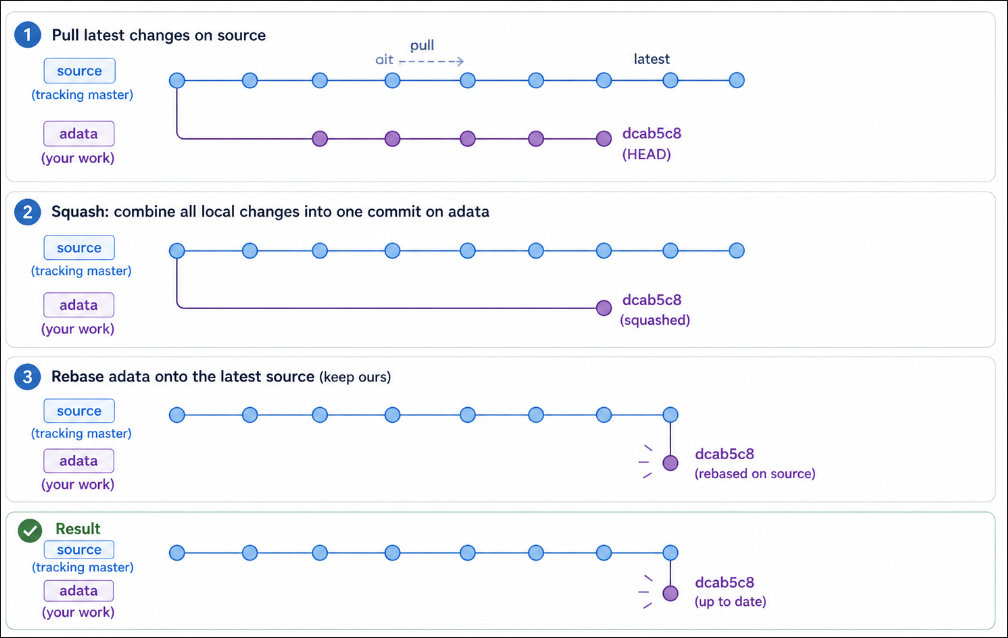
# make sure the source branch tracks the master branch and that we have the latest commits
git branch --set-upstream-to=origin/master source
git pull

# switch back to the adata branch and reset to the latest upstream commit
git reset --soft dcab5c8b23bddcdd5939902aba0dfe6a07429890

# do a squash commit to have all changes in a single commit with your IDE and then
git rebase -X theirs 28bdeb8583c29b001afbca84bd27259a935eeaed

# drain the node to move all pods to other nodes
kubectl drain kube-node1 --ignore-daemonsets --delete-emptydir-data

# preliminary command to fetch facts
ansible-playbook -i inventory/mycluster/inventory.ini --become cluster.yml -t gather-facts

# update to latest minor
ansible-playbook upgrade-cluster.yml -b -i inventory/mycluster/inventory.ini -e kube_version=1.35.3 --limit "kube-node1"

# update the major version
ansible-playbook upgrade-cluster.yml -b -i inventory/mycluster/inventory.ini -e kube_version=1.36.0 --limit "kube-node1"
Verify that the update worked and uncordon the kube-node1. And if you had to scale the replicaset down to 0 you’ll have to remember to set it to its original value before uncordoning
upgrading the kube-node2
1
2
3
4
5
6
7
8
9
10
11
12
# drain the node to move all pods to other nodes
kubectl drain kube-node2 --ignore-daemonsets --delete-emptydir-data

# preliminary command to fetch facts
ansible-playbook -i inventory/mycluster/inventory.ini --become cluster.yml -t gather-facts

# update to latest minor
ansible-playbook upgrade-cluster.yml -b -i inventory/mycluster/inventory.ini -e kube_version=1.35.3 --limit "kube-node2"

# update the major version
ansible-playbook upgrade-cluster.yml -b -i inventory/mycluster/inventory.ini -e kube_version=1.36.0 --limit "kube-node2"
Verify that the update worked and uncordon the kube-node2
upgrading the kube-node3
1
2
3
4
5
6
7
8
9
10
11
12
# drain the node to move all pods to other nodes
kubectl drain kube-node3 --ignore-daemonsets --delete-emptydir-data

# preliminary command to fetch facts
ansible-playbook -i inventory/mycluster/inventory.ini --become cluster.yml -t gather-facts

# update to latest minor
ansible-playbook upgrade-cluster.yml -b -i inventory/mycluster/inventory.ini -e kube_version=1.35.3 --limit "kube-node3"

# update the major version
ansible-playbook upgrade-cluster.yml -b -i inventory/mycluster/inventory.ini -e kube_version=1.36.0 --limit "kube-node3"
Verify that the update worked and uncordon the kube-node3
Conclusion
I really wanted to move to this release as it features a security feature that I’ve been meaning to try called “user namespaces” which allow us to run containers as root without it resulting on getting root on the host.