
Introduction
I’ve come a long way looking back on how my infrastructure looked like in 2018. Back then I had a mini pc and a NAS on a flat network which suit my web hosting needs for years. I remember postponing docker because I knew I only had 8Gb of RAM and it would add unecessary overhead to my simple LAMP stack.
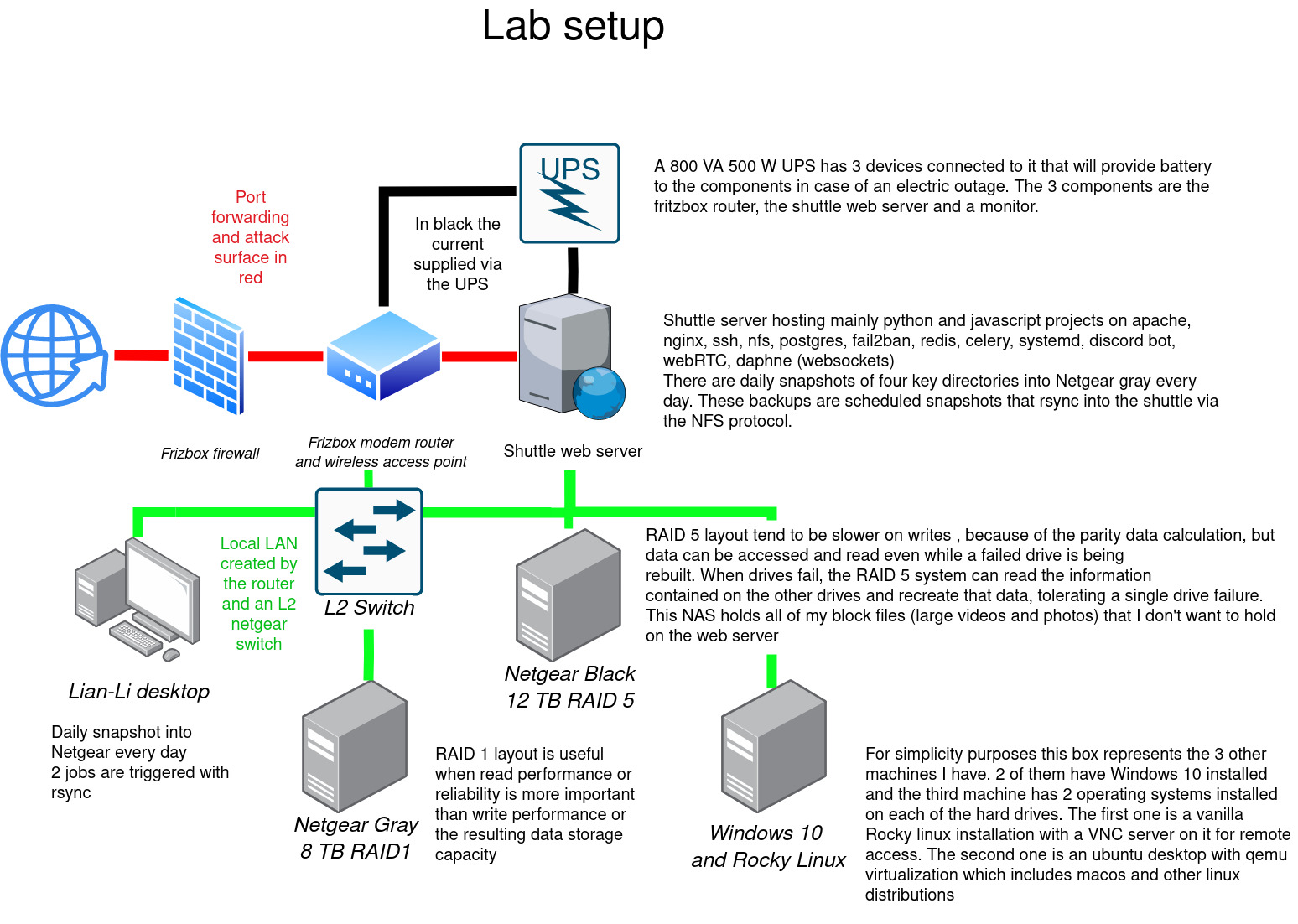
Fast track to today and I’m close to migrating all of my playground projects to kubernetes. The choice is naturally motivated by wanting to keep up with the state of the art. Exploring k8s boils down for me as a need to scratch that itch for change and to understand what motivates organizations to adopt such a technology. After playing around with it I knew this is what the future MSPs and homelabs would eventually converge to.
Tackling this gargantuan project I had a requirement. I’m currently running production code for my family so my first requirement going into this project was that I would still have some workloads running outside of the cluster so that I can learn and migrate things bit by bit as opposed to a “all or nothing” strategy. My decision soon settled with a layer 4 reverse proxy which allowed me to split the traffic going to the new platform as well as the legacy one based on the SNI.
The legacy apps would be exposed to the internet on port 443:
1
Internet -> pfsense -> haproxy-tcp -> haproxy-lb (for TLS termination) -> haproxy (health check and layer 7 reverse proxy) -> application
And the apps running on the kubernetes cluster would be exposed to the internet on port 443 following a similar pattern:
1
Internet -> pfsense -> haproxy-tcp -> k8s ingress haproxy (for TLS termination) -> application
I’ll eventually setup an egress route for all OCI queries to go through harbor so that I can cache the containers locally but that will be a topic for a future article.
The VMs
I was thinking of running the new infrastructure on three baremetal nodes but then looked at the electricity bill here in Germany and went with a hyperconverged setup instead. I haven’t had the time or the patience to setup a proper fibre channel backbone on my network even though I have the hardware. I did setup some iSCSI LUNs with debian in the past over the 8GB/s fibre channel switch but I’m not sure if that will be compatible with fedora without building the firmware from source as I only found a single binary that would work with it.
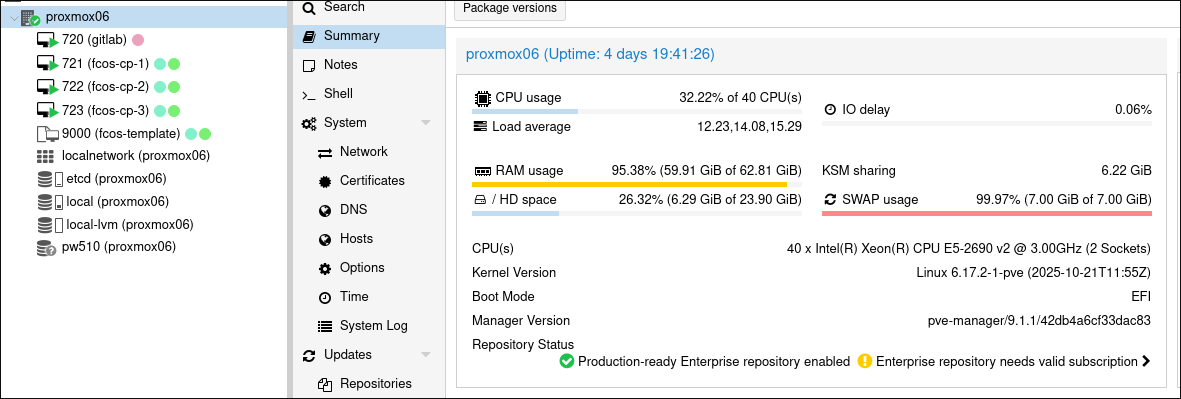
Fedora CoreOS FCOS seemed to be the best choice for the base image of our k8s nodes. FCOS enforces a read only filesystem which not only hardens it against any type of tampering (chroot) but it also forces you to declare the state of your VM beforehand by baking all of the packages, permissions and systemd services and units into a butane file. Once provisioned you can only run containerd containers on it which reduces drift as everything is declarative and all workloads run on containers which are provisioned via helm and ansible. I’ve documented that journey here if you’re interested on how to set that up with butane, ignition and terraform on proxmox.
Each FCOS VM gets two block devices. The first one is an SSD that is entirely passed through to the VM for ceph to run its managers and OSD’s on and the second one is a 20GB block device which runs the VM’s OS.
The applications
I chose ansible to provision kubernetes and ansible vault for the secrets. There is a popular CNCF backed project called kubespray that does all of it already so I just adapted some of the configuration and used it instead. Updating the cluster last time required rebasing a branch and cherry picking some commits to get it to work well on fedora coreos but I’m happy with the results:
Conclusion
Ansible, Fedora CoreOS, … both are from the same big brand on the block.
I’m not affiliated with neither Redhat or IBM by any means but I try to stick to the entreprise stack as much as I can so that the door is open in case I want to move to openstack in the future or if I ever want to get a support contract with Redhat. It probably won’t happen any time soon but I like to know I’m using the state of the art in the IT field.
Back in the 90’s you needed to read books and be in the field to learn how to use a mainframe or AIX machine. Nowadays entreprise IT is running on gnu/linux which is freely available for anyone to install. I’m glad that software democratized itself thanks to open source projects. This allowed the very best people and software projects in the field to get all the attention and funding it deserves as opposed to proprietary bloatware junk.
Thanks for sticking around
Grüsse